Best HVAC Software in 2026: What Growing Companies Choose
February 4, 2026
Most HVAC software works fine in the demo, and that’s the problem because you don’t see what happens when the schedule changes three times before noon. Or when a tech can’t pull up job details because there’s no signal. Or when a call comes in, nobody picks up, and it never makes it into the system.
This is usually when people start searching for the best hvac software because what they’re using stopped holding together.
By 2026, the real test becomes whether work flows through the day without friction. Calls, schedules, fieldwork, invoicing, and payments should stay connected, rather than relying on someone to manually bridge gaps between systems.
In this blog, we look at how HVAC business software functions in real operations, what features matter most in 2026, and how the leading platforms compare once you factor in business size, growth stage, and daily workflow.
Best HVAC Software 2026: Top Tools Compared
This guide compares leading HVAC software solutions for 2026, focusing on how they perform in real operations. Focusing on features that matter most to HVAC businesses, including job scheduling, dispatching, estimating, invoicing, customer management, and mobile access.
It breaks down how each platform supports daily operations, team coordination, and scalability, helping contractors evaluate tools based on business size, workflow needs, and growth goals.
The comparison is designed to help HVAC companies choose software that improves efficiency, reduces manual work, and supports long-term profitability.
Key Takeaways
- HVAC software in 2026 should support day-to-day operations without requiring constant manual intervention between scheduling, field work, invoicing, and payments.
- Many HVAC management software platforms look similar in demos, but perform very differently once job volume and team size increase.
- The right system reduces missed calls, scheduling issues, billing delays, and duplicate work across office and field teams.
- Software needs vary by business stage: tools that work for small teams often become limiting as HVAC companies grow.
- Evaluating HVAC software based on real workflows, not just features or pricing, leads to better long-term decisions.
Shortlisted the Tools, But How Do They Work Day to Day?
Feature comparisons narrow your options, but real clarity comes from seeing how HVAC software handles scheduling, dispatch, invoicing, and service tracking in everyday workflows.
Book a demo with HVACBase to learn how.
What Is HVAC Business Software?
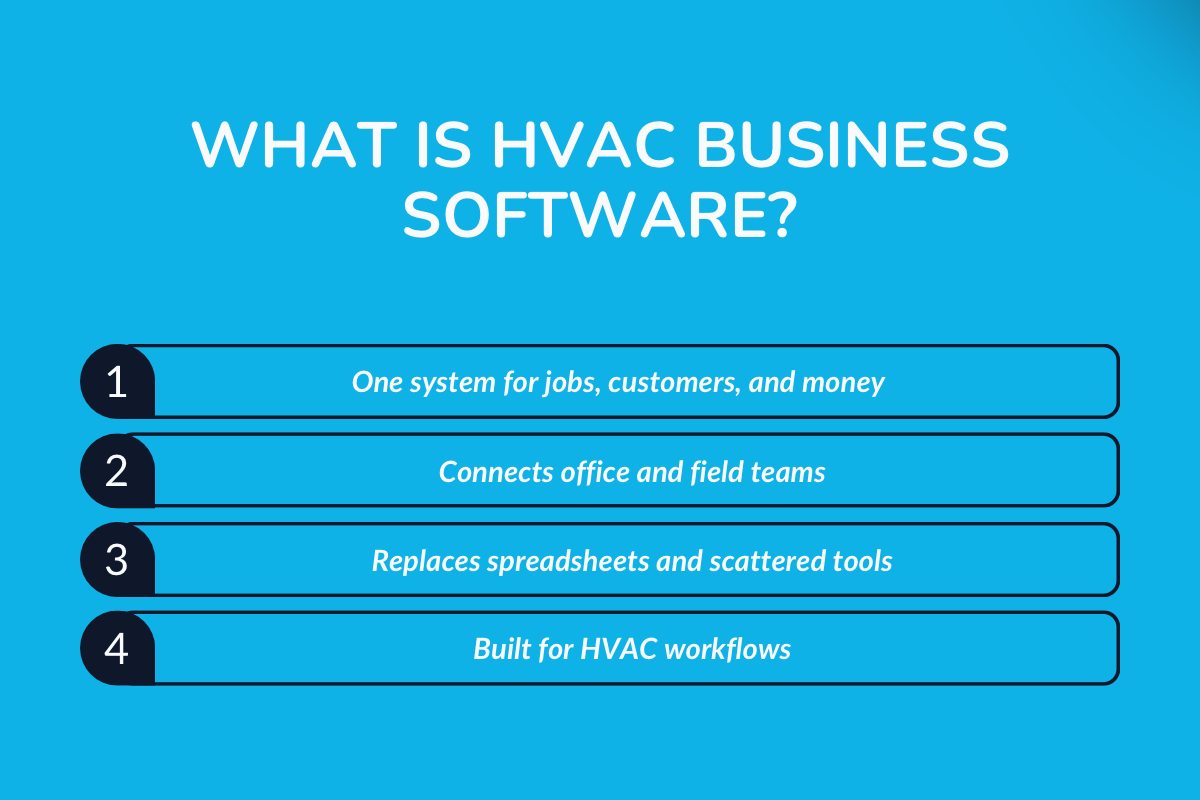
HVAC business software is a tool designed to help heating, ventilation, and air conditioning companies run their day-to-day operations more efficiently.
Instead of managing jobs, customers, and finances across spreadsheets, paperwork, and multiple apps, HVAC teams use a single system to coordinate office work and field activities.
You may also see this software described as HVAC management software or HVAC service software. While the labels vary, the purpose remains the same: to provide a single place to manage operational workflows common to HVAC businesses.
> What Problems Does HVAC Business Software Solve?
As HVAC companies grow, coordination gets harder because dispatch becomes the choke point.
Once multiple technicians are moving between jobs, your office needs a reliable way to capture job context and track status changes. If that information doesn’t move cleanly from the office to the field and back, schedules drift, and customers end up calling for updates.
HVAC software exists to address these problems:
- Gaps between scheduling and dispatch
- Delays between job completion and invoicing
- Limited visibility into what technicians are doing in the field
- Multiple customer and service records
- Manual work is required to keep different tools in sync
> HVAC-Specific Software vs Generic Field Service Tools
Generic field service platforms are built to serve many industries, but HVAC-specific software is built around how HVAC businesses actually operate.
Key distinctions include:
- Job structures that account for installs, repairs, and maintenance work
- Data models designed to track equipment tied to hvac systems, not just service tickets
- Support for recurring service agreements and long-term customer relationships
- Workflows aligned with how HVAC teams schedule, dispatch, and bill work
Generic tools can work at a basic level, but many HVAC companies encounter limitations as job volume and operational complexity increase.
How has HVAC Business Software Evolved?
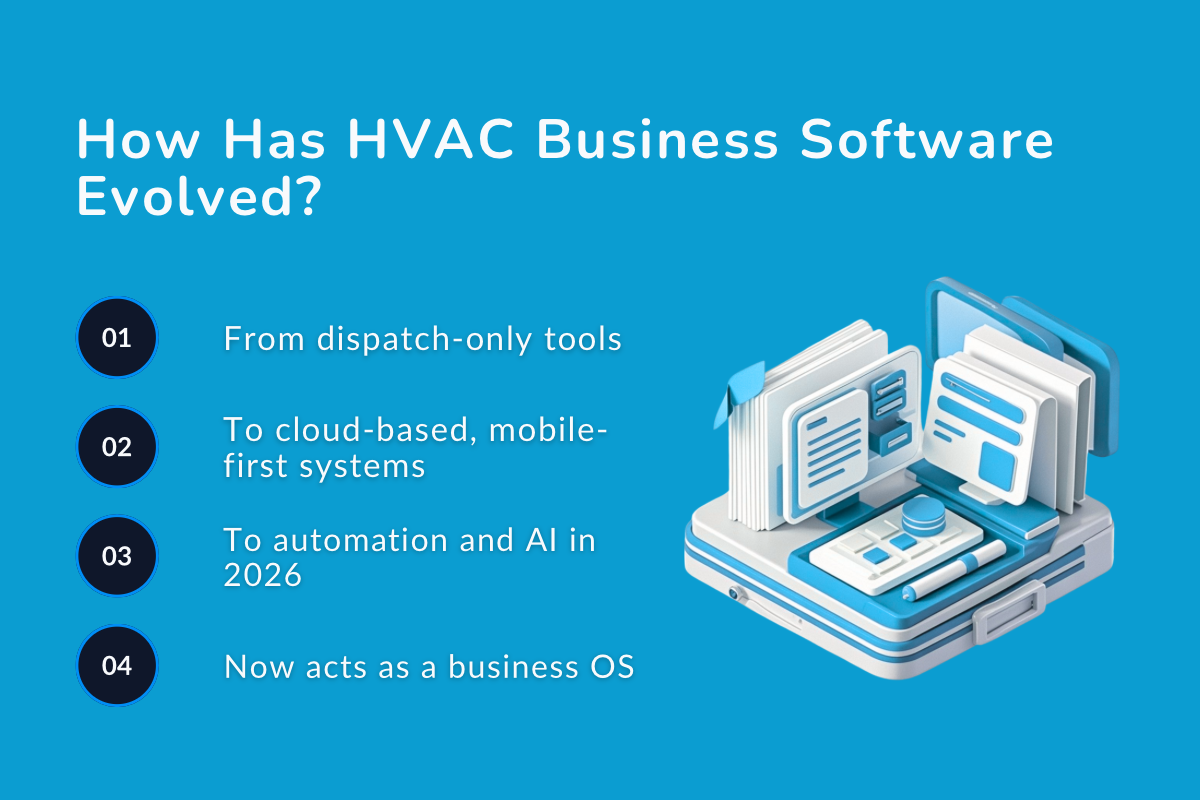
HVAC business software has evolved in response to one core pressure: Scale. As service businesses grow more complex (more technicians, tighter SLAs, higher customer expectations), tools built for simple dispatching no longer suffice.
1. Early Dispatch-Only Tools
Early HVAC software focused almost entirely on dispatch. The primary job was assigning technicians to jobs, tracking basic schedules, and recording completed visits. These systems worked when teams were small and operations were predictable.
However, they operated in silos. Customer data, job history, inventory, and invoicing often lived elsewhere, or not at all, forcing teams to rely on manual updates.
2. Shift to Cloud-Based, Mobile-First Platforms
As HVAC businesses expanded, cloud-based platforms replaced desktop and on-premise tools. Mobile app access became essential, enabling field technicians to view job details, update statuses, and capture on-site information.
This shift improved visibility across teams. Office staff could see technician availability in real time, job updates flowed back instantly, and customer records became more consistent.
3. 2026 Advancements: AI, Automations, and Predictive Capabilities
In 2026, HVAC software has moved beyond coordination into optimization, with AI-driven scheduling, automated follow-ups, and smarter forecasting reduce manual decision-making.
Integrations with connected equipment and sensors enable early fault detection, supporting predictive maintenance rather than emergency repairs.
Automation now handles routine workflows, job confirmations, service reminders, and reporting, freeing teams to focus on exceptions instead of administration.
4. Modern HVAC Software Acts as a Central Operating System
Today’s HVAC management software functions as a central operating system for the business. It connects scheduling, field operations, customer communication, billing, and performance data into a single place.
Instead of supporting a single task, modern platforms take on the entire operation, helping HVAC businesses respond faster, plan better, and scale without adding unnecessary complexity.
Why HVAC Companies Need Business Software in 2026?
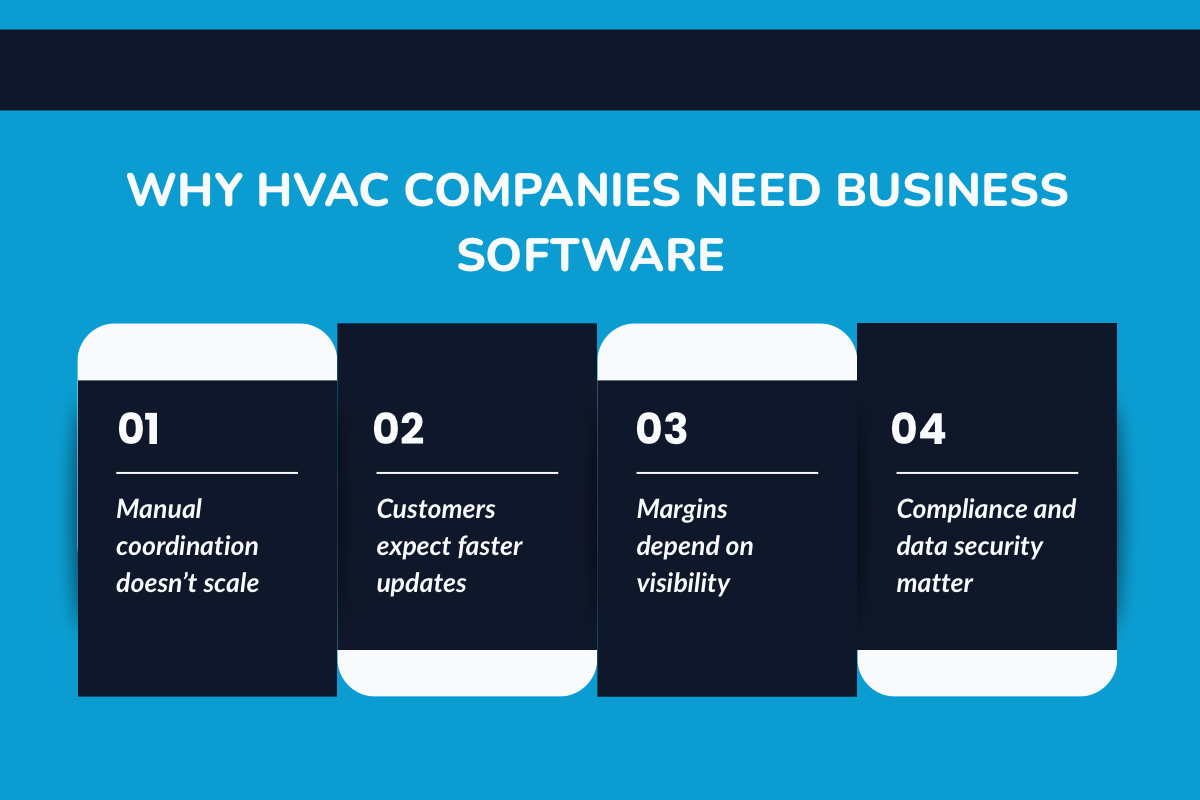
Business software has shifted from being a productivity upgrade to being an operational infrastructure.
Without it, HVAC companies struggle to keep schedules accurate, respond to customers on time, and understand where money is being made or lost during the day.
1. Operational Efficiency
As teams grow, coordination becomes the bottleneck. Scheduling changes, last-minute cancellations, and technician delays compound quickly when information doesn’t move in real time.
HVAC business software improves operational efficiency by:
- Optimizing scheduling and dispatch from a single system
- Reducing manual handoffs between office staff and field teams
- Minimizing errors caused by duplicate data entry or missed updates
Instead of reacting to problems as they happen, teams gain visibility into what’s unfolding across the day.
2. Customer Experience & Retention
Customers now expect faster responses, clearer communication, and fewer follow-ups just to get basic updates. When office teams can’t easily see job status or service history, customers feel the friction immediately.
Modern HVAC software supports a stronger customer experience by enabling:
- Centralized customer records and service history
- Automated reminders and status updates
- Clear communication between the office, technicians, and customers
This consistency builds trust and reduces the number of inbound calls requesting updates.
3. Cost Control & Profitability
Many HVAC businesses lose margin not because of pricing, but because of poor visibility. When job costs, labor time, and invoicing aren’t connected, it’s difficult to understand true profitability.
Business software helps companies regain control by providing:
- Accurate job costing and reporting
- Faster invoicing and payment collection
- Reduced administrative overhead across billing and accounting
With clearer financial data, owners can make informed decisions instead of relying on estimates or gut feel.
4. Compliance & Data Security
Regulatory and data expectations have increased alongside digital operations. HVAC companies are expected to maintain accurate service records, protect customer data, and ensure only authorized users have access to sensitive information.
Modern systems support compliance by:
- Secure data storage and controlled access
- Consistent record-keeping for service and maintenance history
- Reduced reliance on paper or unsecured tools
This protects both the business and the customer as operations scale.
How HVAC Companies Manage Operations More Efficiently in 2026?
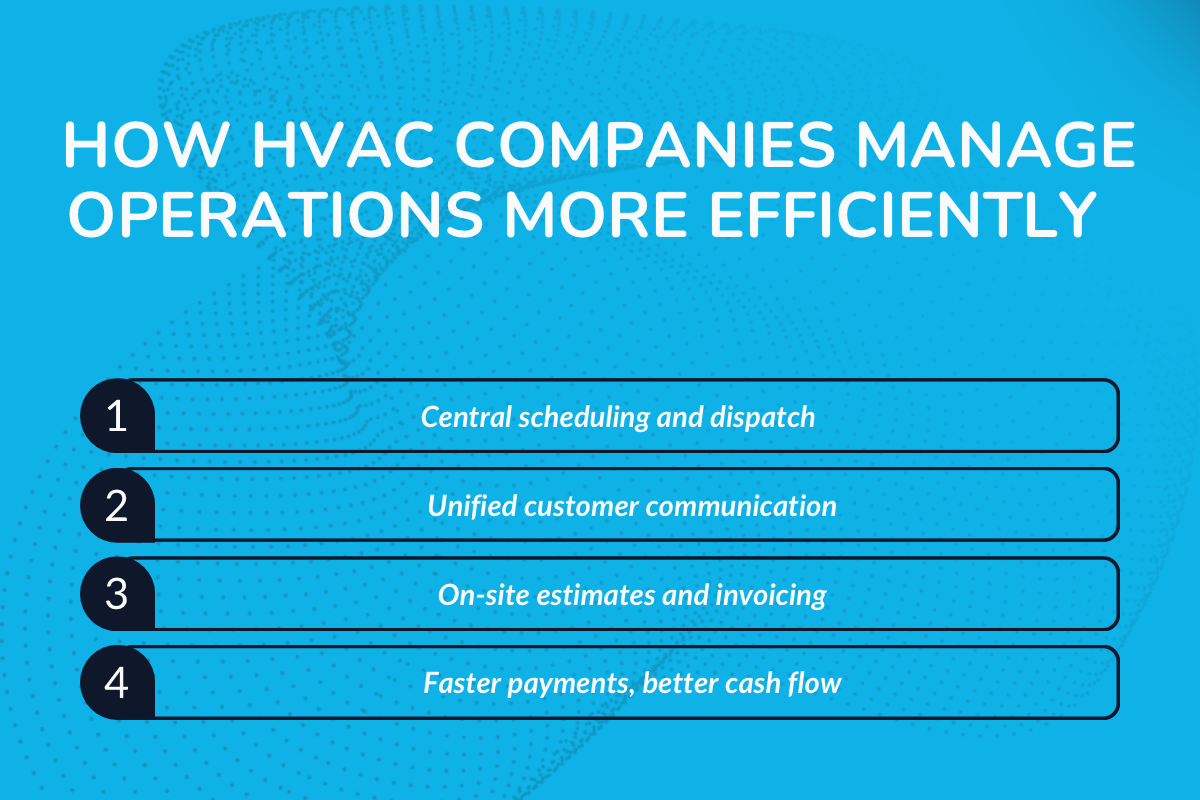
In 2026, efficiency in HVAC operations is less about working faster and more about reducing friction between steps. The most effective teams manage their day through connected workflows, where information moves automatically from one stage to the next without manual handoffs.
1. Scheduling and Dispatch From a Single System
Efficient operations start with centralized scheduling. Office teams can assign, adjust, and rebalance jobs throughout the day without losing visibility into technician availability or workload.
When schedules change, updates flow to the field immediately, reducing confusion, double-booking, and missed appointments.
2. Centralized Customer Communication
Customer communication is no longer scattered across phone logs, text messages, and inboxes. In 2026, HVAC companies manage calls, texts, and reminders from one place, ensuring conversations are logged and accessible.
This reduces repeated questions, missed messages, and the need for customers to follow up for basic updates.
3. On-Site Estimates and Invoicing
Technicians increasingly handle estimates and invoices on-site. This shortens the gap between job completion and billing, reduces paperwork, and improves accuracy.
Instead of waiting for office processing, work details are captured once and used consistently across estimates, invoices, and records.
4. Integrated Payments and Faster Collections
Payments are no longer a separate step handled days later. Integrated payment tools allow invoices to be settled quickly, improving cash flow and reducing outstanding balances.
Faster collections also reduce the administrative effort required for follow-ups and reconciliations.
5. Mobile Access for Field Technicians
Field teams rely on mobile access to job details, customer history, and service notes. This allows technicians to arrive informed, update progress in real time, and document work as it happens.
When information flows back instantly, office teams stay aligned without constant check-ins.
6. Real-Time Visibility for Owners and Managers
For owners and managers, efficiency comes from visibility. Real-time dashboards replace end-of-week reports, making it easier to spot delays, workload imbalances, or billing issues as they emerge.
This allows decisions to be made during the day, not after problems compound.
See why mobile apps have become an essential tool for modern HVAC technicians: Mobile Apps for HVAC Technicians: The Modern Toolbox
Key Features to Look for in HVAC Business Software
The harder question in 2026 is which features actually hold up under real operational pressure, not just in demos, but across busy days, growing teams, and unpredictable schedules.
The features that matter most are those that reduce reliance on manual coordination and prevent minor issues from becoming daily disruptions.
1. Scheduling & Dispatching
In 2026, reliable HVAC scheduling software must handle frequent changes without losing job or technician context.
Strong platforms also support basic inventory management, enabling teams to track parts usage without additional tools. What separates capable tools from basic ones is how well they adapt when plans change mid-day, not how polished the interface looks.
2. Estimates, Invoicing & Payments
Billing features matter less for how they look and more for how seamlessly they connect to completed work. Delays, re-entry, or reconciliation gaps are where most revenue leakage happens.
In 2026, strong systems minimize the time between job completion and payment without adding extra steps for technicians or office staff.
3. CRM & Customer Management
Customer data is only valuable if it stays consistent across jobs, teams, and time. HVAC software should maintain continuity, service history, equipment records, and communication, without requiring staff to piece information together manually.
The focus here is reliability, not depth. Incomplete or fragmented records create more work than no CRM at all.
4. Mobile Apps & Integrations
Mobile functionality is no longer a differentiator but a baseline. What matters now is whether mobile tools remain usable in real field conditions and integrate cleanly with the rest of the system.
Photos, notes, signatures, and updates should feed directly into operational records without follow-up cleanup.
Learn more about the HVAC dispatch tools that can simplify scheduling and improve efficiency: Top HVAC Dispatch Software for Fast-Growing Companies
What Are The Best HVAC Software: 2026
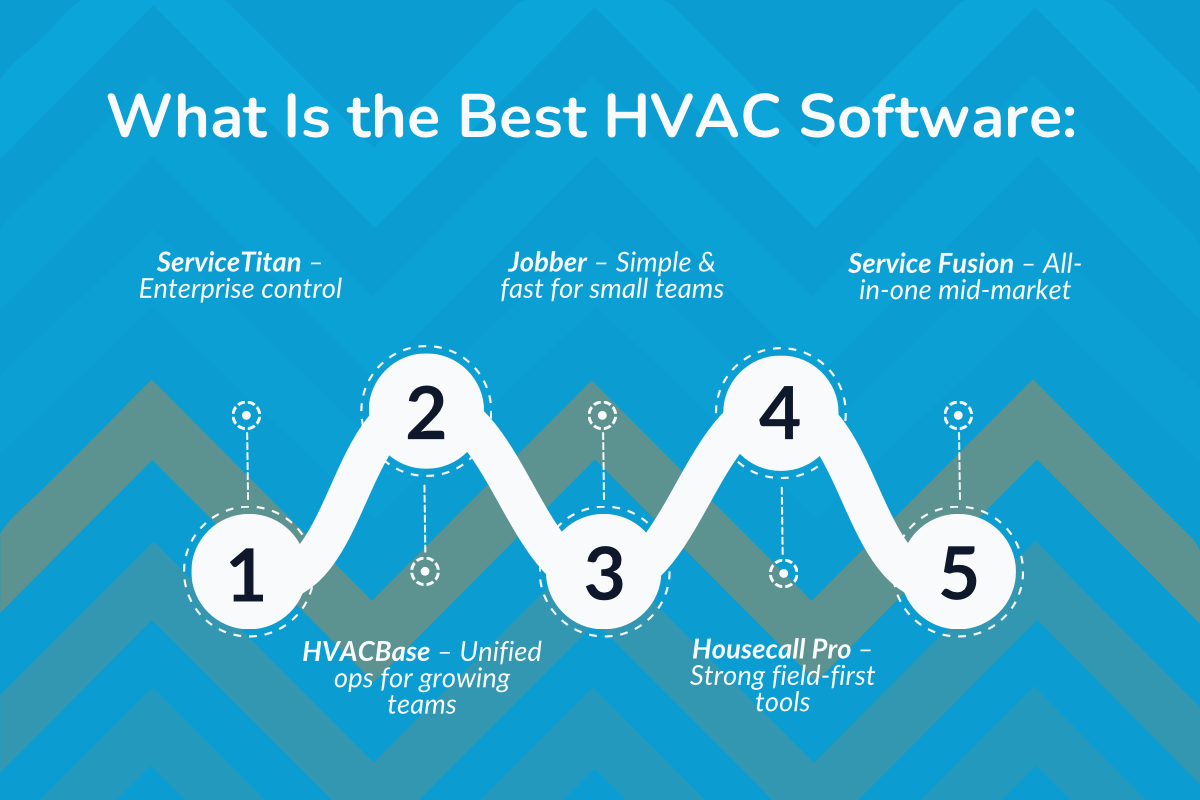
The HVAC software market in 2026 includes platforms designed for businesses of very different sizes and operating models.
1. ServiceTitan
ServiceTitan is a comprehensive HVAC business management platform designed for large and fast-scaling service companies. It combines dispatch, CRM, billing, reporting, and marketing tools into a single cloud-based system built for operational depth.
Key Features:
- Dispatch & Scheduling: ServiceTitan offers advanced scheduling and dispatch tools that help large HVAC teams plan capacity, assign the right technician based on skills and availability, and manage high job volumes without overbooking crews.
- CRM & Call Tracking: The platform centralizes customer records and ties them directly to inbound calls, bookings, and marketing sources, giving businesses visibility into where leads come from and how calls convert into jobs.
- Estimates & Invoicing: ServiceTitan supports digital estimates and invoicing, allowing technicians and office staff to generate quotes, collect approvals, and process payments without relying on paper-based workflows.
- Reporting & Analytics: Built-in dashboards provide detailed insights into revenue, technician performance, job profitability, and operational trends, helping leadership make data-driven decisions as the business scales.
- Marketing Tools: The system includes marketing and campaign tracking features that connect customer acquisition efforts to actual revenue, helping businesses understand which channels deliver the best return.
Key Benefit: Deep operational visibility and control across large, multi-team HVAC operations.
Best for: Large HVAC companies and multi-location contractors with complex workflows.
Pricing: Custom pricing based on company size and usage. No free plan; onboarding fees typically apply.
2. HVACBase
HVACBase is an all-in-one HVAC operations platform built to help growing service businesses manage scheduling, dispatch, customer communication, and billing from one system. It focuses on reducing manual coordination between office and field teams.
Key Features:
- Scheduling & Dispatch: HVACBase provides centralized scheduling and dispatch so office teams can assign jobs, adjust timelines, and monitor technician progress in real time without relying on calls, texts, or spreadsheets.
- AI Call Handling: The platform uses AI to capture missed calls and booking requests, ensuring potential customers are logged and followed up even when staff are busy or unavailable.
- CRM & Job History: All customer details, service history, and past job records are stored in a single system, giving both office staff and technicians full context before arriving on site.
- Mobile Access: Field technicians can update job status, add notes, upload photos, and close work directly from their mobile devices, keeping the office informed without extra back-and-forth.
- Payments & Integrations: HVACBase supports integrated invoicing and integrates with accounting tools, helping businesses reduce manual data entry and maintain consistent financial records.
Key Benefit: Simplifies daily operations by keeping calls, jobs, and billing connected.
Best for: Growing HVAC teams that have outgrown basic tools but don’t need enterprise complexity.
Pricing: Quote-based pricing depending on team size and features. Demo required.
3. Jobber
Jobber is a user-friendly field service management tool used by small to mid-sized HVAC businesses. It focuses on making scheduling, customer communication, and invoicing easy to manage without a heavy setup.
Key Features:
- Job Scheduling: Jobber offers a simple drag-and-drop scheduling calendar that makes it easy for office staff to assign jobs, adjust appointments, and manage daily workloads without complex setup or technical training.
- CRM: Customer profiles store contact details, service history, and past communications in one place, allowing HVAC teams to quickly understand customer needs and deliver more consistent service.
- Quotes & Invoices: Jobber lets teams create professional-looking quotes and invoices, send them digitally, and track their status, helping reduce paperwork and speed up approvals and billing.
- Automated Reminders: Built-in appointment reminders and follow-up messages help reduce no-shows and keep customers informed, while also saving staff time on manual calls or texts.
- Online Payments: The platform supports card and ACH payments, allowing customers to pay electronically and helping HVAC businesses collect payments faster and more reliably.
Key Benefit: Easy to adopt and manage without extensive training.
Best for: Small HVAC businesses and owner-operators.
Pricing: Tiered monthly pricing with multiple plans. A free trial is also available. Individuals $25–$199/month, Teams $127–$450/month, with additional users typically $29/user/month; annual discounts often available.
4. Housecall Pro
Housecall Pro is a mobile-first HVAC service software designed for field-heavy teams. It emphasizes technician autonomy, on-site payments, and real-time job updates.
Key Features:
- Mobile Scheduling: Housecall Pro is built for technicians in the field, allowing them to view schedules, job details, and updates directly from their mobile devices without relying on constant office coordination.
- Estimates & Invoices: Technicians can create estimates, convert them into invoices, and close out jobs on-site, helping HVAC businesses move work forward without waiting for office approval or paperwork.
- Payments: The platform supports both on-site and online payments, enabling customers to pay immediately after service and helping businesses improve cash flow and reduce delayed collections.
- Customer Notifications: Automated text messages and appointment reminders keep customers informed about technician arrival times, schedule changes, and job status, reducing missed appointments and inbound calls.
- Marketing Tools: Housecall Pro includes basic marketing features such as automated review requests and follow-up messages, helping HVAC companies maintain visibility and encourage repeat business without manual outreach.
Key Benefit: Strong mobile experience for technicians working primarily in the field.
Best for: HVAC businesses with field-first workflows.
Pricing: Subscription-based pricing with feature tiers. Free trial offered.
- Basic $59/month (annual) or $79/month (monthly)
- Essentials $149/month (annual) or $189/month (monthly)
- MAX is $299/month (annual) or $329/month (monthly); 14‑day free trial.
5. Service Fusion
Service Fusion is an all-in-one field service platform that supports HVAC businesses with dispatch, inventory, invoicing, and reporting in a single system.
Key Features:
- Scheduling & Dispatch: Service Fusion allows HVAC companies to manage all jobs and technicians from a single scheduling board, making it easier to assign work, adjust appointments, and keep crews aligned as schedules change throughout the day.
- Inventory Tracking: The platform tracks parts and equipment across jobs so teams know what is available before dispatching a technician, helping reduce delays caused by missing or overstocked inventory.
- Estimates & Billing: Service Fusion connects estimating and invoicing in one workflow, allowing businesses to turn approved estimates into invoices quickly and bill customers without switching systems or re-entering data.
- Customer Management: It's built-in CRM stores customer details, job history, and service records in one place, giving technicians and office staff full context before, during, and after each visit.
- Reporting: Service Fusion provides operational and financial reports that help HVAC business owners monitor job performance, technician productivity, and revenue trends to support better decision-making as the business grows.
Key Benefit: Reduces the need for multiple disconnected tools.
Best for: Mid-sized HVAC companies looking for a unified platform.
Pricing: Custom pricing based on features and users. No free plan.
| Software | Best For | Key Strength | Ease of Use | Scalability | Pricing |
|---|---|---|---|---|---|
| ServiceTitan | Large & multi-location HVAC companies | Deep reporting, enterprise dispatch, marketing insights | Medium | Very High | Custom pricing, onboarding fees |
| HVACBase | Growing HVAC teams | Unified operations + AI call handling | High | High | Quote-based, demo required |
| Jobber | Small HVAC businesses | Simplicity and fast setup | Very High | Medium | Tiered monthly plans |
| Housecall Pro | Field-first HVAC teams | Strong mobile workflows | Very High | Medium | Subscription tiers |
| Service Fusion | Mid-market HVAC companies | All-in-one operations suite | Medium | High | Custom pricing |
Best HVAC Software for Small Businesses
Small HVAC businesses typically prioritize reliability, ease of use, and affordability over advanced automation. When teams are small, software should reduce admin work.
> What Small HVAC Businesses Need Most
For 1–10 technician teams, the focus is on:
- Fast scheduling without heavy configuration
- Clear customer records and service history
- Simple estimating, invoicing, and payment collection
- Low onboarding and training overhead
Overly complex platforms can slow down day-to-day work rather than improve it.
> Budget Expectations and ROI
Smaller teams benefit most from predictable pricing and tools that show value quickly. ROI often comes from fewer missed calls, faster invoicing, and reduced time spent coordinating work manually.
> Typical Use Cases
- Residential repairs and maintenance
- Seasonal service spikes
- Recurring service agreements
In these scenarios, software should support daily execution without requiring a dedicated operations manager.
Best HVAC Software for Contractors & Growing Companies
As HVAC businesses add technicians and crews, operational gaps become harder to manage manually. At this stage, software must support scale without losing visibility.
> What Growing HVAC Contractors Need
For multi-crew or expanding teams, priorities shift toward:
- Scalable scheduling and dispatch
- Consistent job and customer data across teams
- Reporting that surfaces performance issues early
- Automation that reduces repetitive office work
> Scalability and Automation Considerations
Growth-stage businesses benefit from software that adapts as complexity increases, supporting more jobs, more technicians, and more locations without requiring process redesign.
> Multi-Location and Advanced Job Tracking
For contractors operating across service areas or branches, centralized visibility becomes critical. Software should allow managers to track work across teams while maintaining consistent processes.
How to Choose the Right HVAC Business Software?
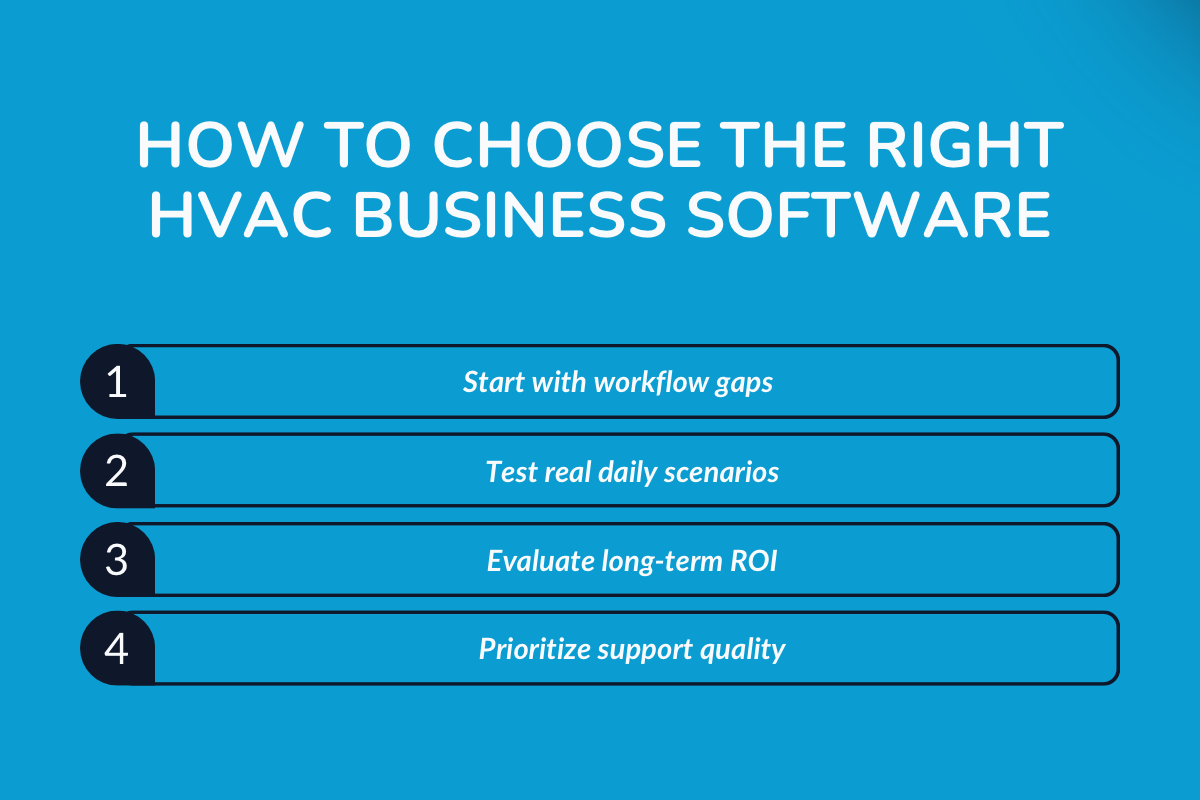
Once you’ve shortlisted a few HVAC software options, the real work begins. The best choice in 2026 is the one that fits how your business actually operates today and how you plan to grow.
This step-by-step approach helps HVAC companies avoid common buying mistakes and choose software that holds up beyond the first few months.
Step 1 – Define Your Business Needs
Start by mapping how work currently flows through your business. Identify where delays, manual handoffs, or errors occur most often, whether that’s scheduling, invoicing, or customer communication.
Clarity here prevents overbuying or choosing tools that solve the wrong problems.
Step 2 – Evaluate Core Features Against Real Workflows
Instead of asking what features exist, ask how those features behave during busy days. Can the system handle last-minute schedule changes? Does job information stay consistent between the office and the field?
Software should reduce coordination effort, not shift it elsewhere.
Step 3 – Understand Pricing and ROI
Look beyond monthly subscription costs. Consider onboarding time, training effort, and whether the software replaces other tools you’re currently paying for.
The right system should pay for itself by reducing missed calls, speeding up billing, and reducing admin work.
Step 4 – Check Reviews and Support Quality
User reviews often reveal where software struggles under real conditions. Pay attention to comments about support responsiveness, system reliability, and long-term usability.
Support quality matters more as your team grows and operations become more complex.
Step 5 – Trial, Migrate, and Implement Carefully
A trial or demo should mirror your actual workflows as closely as possible. Test scheduling changes, invoicing flows, and technician usage. Implementation success depends on planning, training, and realistic timelines, not speed alone.
Explore what to look for in HVAC CRM software and how it can improve lead capture and customer follow-ups: Best HVAC CRM Tools
Demo Day Checklist: Questions to Ask Before You Buy
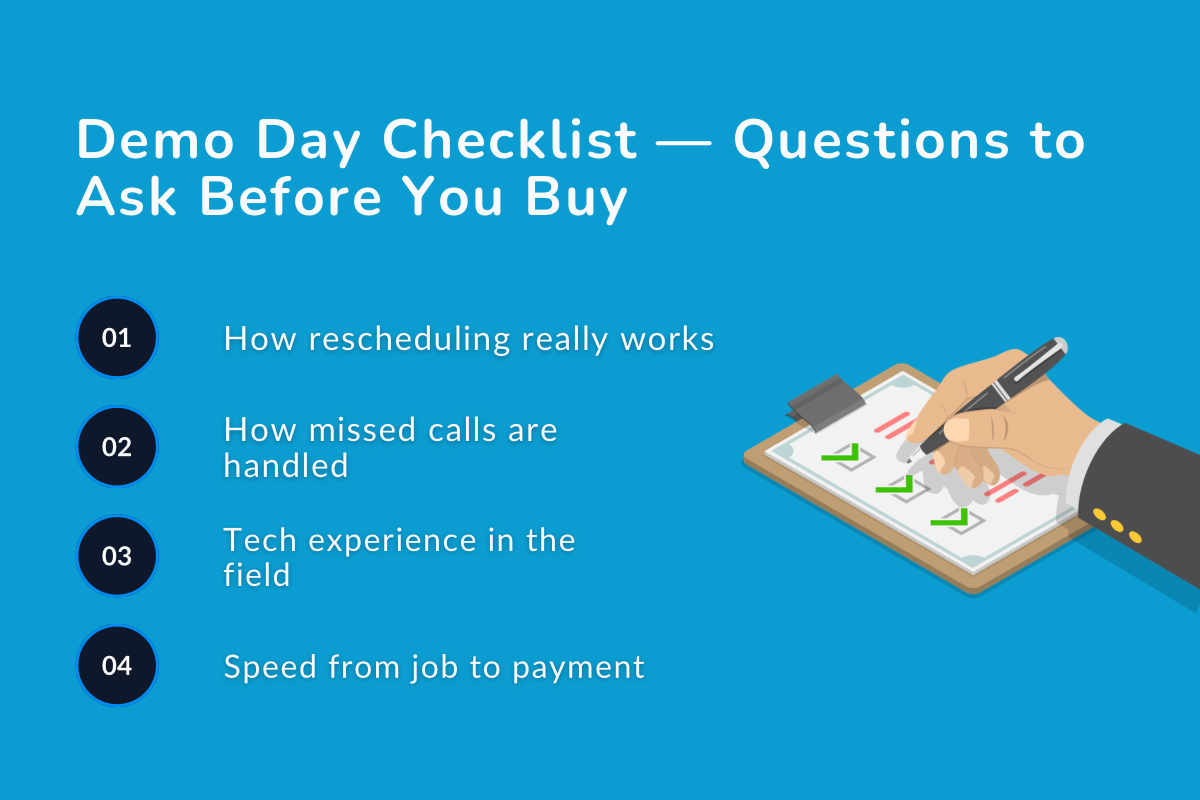
A software demo should show how the system behaves on a normal, messy workday. Use this checklist to keep the conversation grounded in real workflows and avoid surprises after onboarding.
1. Scheduling & Dispatch
- What happens when a job is rescheduled multiple times on the same day?
- Can dispatch changes be made without losing job notes or technician context?
- How does the system handle last-minute cancellations or urgent call-ins?
2. Calls, Bookings, and Missed Requests
- Are missed calls captured and logged automatically?
- Can the system handle bookings outside office hours?
- Where do call records and booking requests live inside the platform?
3. Field Technician Experience
- Can technicians access full job history, notes, and photos on mobile?
- How does the app perform with weak or no signal?
- What steps are required for a tech to close a job in the field?
4. Estimates, Invoicing, and Payments
- How quickly can a completed job be turned into an invoice?
- Is the accounting sync real-time and two-way?
- What payment options are available for customers, and when do funds settle?
5. Automation vs Manual Work
- Which tasks are fully automated versus just digitized?
- Where does staff still need to intervene manually?
- How are reminders, follow-ups, and confirmations triggered?
6. Reporting and Visibility
- Can managers see job status, technician workload, and billing progress in real time?
- Are reports usable without exporting data or manual cleanup?
- What visibility does ownership have during the workday?
7. Onboarding and Support
- What is the realistic onboarding timeline for a team of your size?
- What training is included, and who provides it?
- How is support handled once you’re live?
How to use this checklist
Bring real examples from your business into the demo. Ask the vendor to walk through your actual scenarios, missed calls, schedule changes, partial jobs, and not idealized workflows.
If the system handles those well, it’s likely a good fit. If it struggles there, those issues will only compound as you grow.
Conclusion: Choosing HVAC Software for 2026 and Beyond
As operations scale, the real risk comes from relying on multiple tools that can’t keep schedules, fieldwork, billing, and customer communication aligned.
The right platform supports how work actually flows through the day. It reduces manual coordination, keeps information consistent between office and field teams, and provides enough visibility to address issues before they turn into missed jobs or delayed payments.
HVAC companies that choose software based on real operational needs rather than demos or feature lists are better positioned to scale without friction and avoid costly system changes later.
Comparisons Are Helpful. Workflows Matter More
Specs don’t always show how software performs in the field. The right HVAC system fits the way your team actually works. Book a demo to explore the workflow.
Frequently Asked Questions
1. Which is the best HVAC business software in 2026?
The best HVAC software depends on business size and workflow. Small teams need simplicity, while growing contractors need scalability, automation, and reporting.
2. How much does HVAC business software cost?
Pricing varies by provider and team size, usually offered as monthly subscriptions or custom plans. Costs range from entry-level pricing for small teams to higher tiers for larger operations.
3. What integrations should HVAC software support?
At a minimum, HVAC software should integrate with accounting, payments, and communication tools to reduce manual data entry and keep records consistent.
4. Is HVAC service software secure and compliant?
Most reputable platforms use secure cloud infrastructure, access controls, and data protection practices to support compliance and safe record management.
5. What are the biggest HVAC software trends in 2026?
Key trends include automation, AI-assisted scheduling, mobile-first technician tools, and real-time operational visibility.
Have questions or need personalized advice?
Talk to an Expert Today and let our construction specialists guide you to success.
Related Posts