Top HVAC Scheduling Apps for Busy Service Teams
February 18, 2026
Missed jobs. Technicians circling on long routes. Fewer jobs completed. HVAC technicians are booked for the same time slot. Frustrated customers due to missed services or delays.
If this feels familiar, you have the biggest defect in your scheduling. Inefficient scheduling does not just cause small delays; it overheats your entire business operation. Productivity drops, compliance risks rise, and operational costs spiral out of control.
Fortunately, you can fix the broken workflow with an HVAC Scheduling App. It streamlines operations with optimized job scheduling that values every minute of HVAC technicians and offers peace of mind to managers!
What are the Top Scheduling Apps for Busy Service Teams in the HVAC industry?
The U.S. HVAC industry is forecasted to grow at a compound annual growth rate (CAGR) of 9.7%. Yet the irony is hard to ignore. Despite rapid market expansion, field service businesses are grappling with a shortage of over 11,000 HVAC technicians.
This imbalance puts enormous pressure on scheduling, dispatch, and daily operations. When technician availability is limited, inefficient scheduling quickly turns into lost revenue. Every wasted hour, double-booked slot, or poorly routed job directly impacts margins.
This article breaks down how HVAC scheduling apps help busy service teams regain control. You’ll learn:
- What modern HVAC scheduling software actually does
- The operational cost of managing schedules manually
- Core features that improve technician productivity and customer experience
- A practical comparison of the top HVAC scheduling apps based on team size, use case, and budget
- How to evaluate and implement the right scheduling app without disrupting operations
By the end, you’ll have a clear framework to choose an HVAC scheduling app that fits your workflow and scales with your business.
Key Takeaways:
- The right HVAC scheduling and dispatch software helps assign jobs faster, reduce scheduling errors, and maximize productivity, even during peak seasons.
- HVAC software should offer basic features like automation across lead pipeline management, intelligent dispatching, scheduling optimization, real-time alerts, financial processing, a centralized CRM, and analytical dashboards powered by AI.
- While there are multiple HVAC scheduling apps available in the market, the ideal solution fits your company’s size, budget, and workflow requirements.
Streamline Operations and Optimize Scheduling for Success
The right technology handles your business process workflow like a pro, so that revenue opportunities never disappear. Explore our HVAC Scheduling & Dispatch Software to duct-tape your operations into a profitable workflow.
What is the Cost of Operating Without a Dedicated Scheduling App?
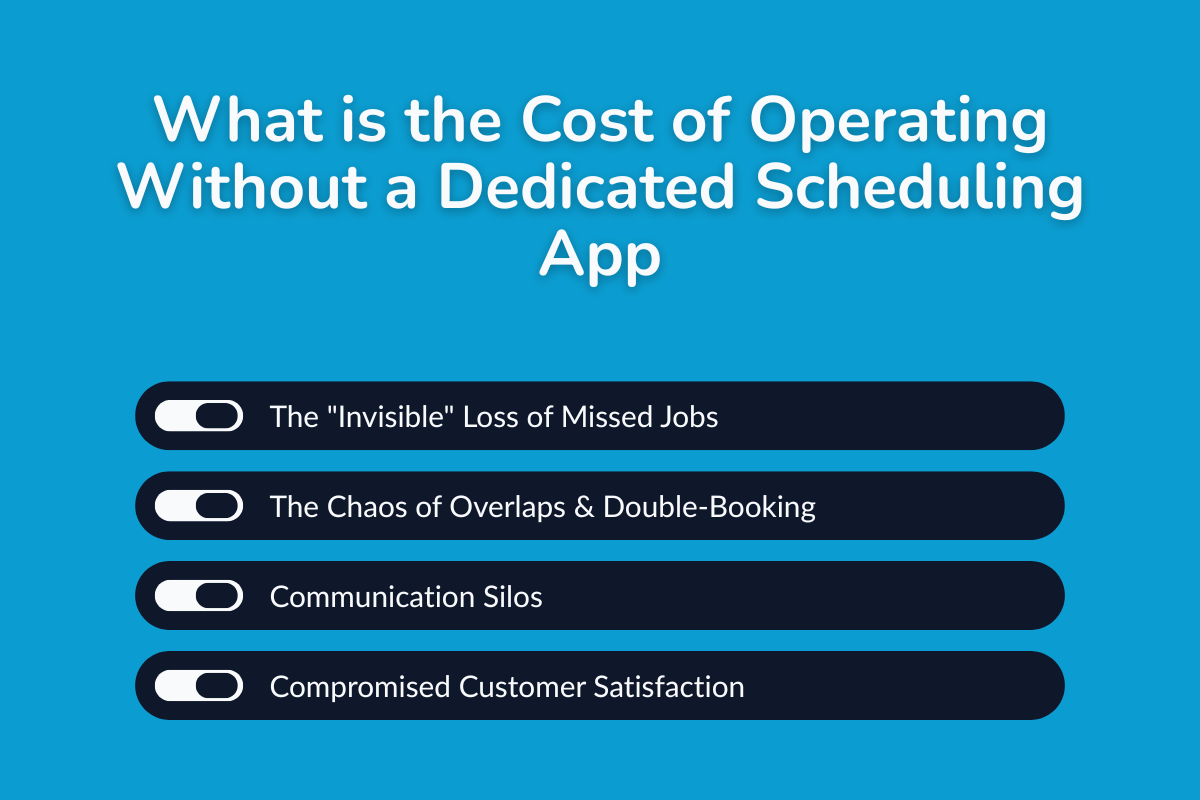
1. The "Invisible" Loss of Missed Jobs:
Manual processes for booking and following up on appointments can lead to missed calls or new inquiries, resulting in lost revenue opportunities.
Scheduling with maps and human judgment alone cannot foresee sudden traffic or weather disruptions, nor do they have the “superpowers” to instantly update routes and complete urgent jobs efficiently.
2. The Chaos of Overlaps & Double-Booking:
Disorganization in HVAC due to manual scheduling is highly prone to errors, such as double bookings, technicians arriving late because of traffic or long routes, missing critical jobs, or failing to respond to hot leads on time.
These issues cost valuable time, money, and customers who become frustrated with slow and inefficient service.
3. Communication Silos:
When techs, managers, and clients are not connected, schedules falter, and jobs fail, just as one misconfigured component can break an entire heating system.
4. Compromised Customer Satisfaction:
Missed appointments, slow responses, and poor updates frustrate customers. This not only hurts conversion rates but also holds the potential to damage your brand reputation with negative reviews, putting your business's sustainability at risk.
When Scheduling Challenges Impact Your HVAC Business the Most?
1. Peak HVAC Seasons
Peak seasons mean big earnings potential, but without automated booking, reminders, and smart scheduling, you risk losing customers to faster competitors.
2. High Emergency Call Periods
HVAC is not just about service calls and installation; it also means providing comfort quickly and safely. Priority maintenance for urgent needs, with swift service, earns you trust as you show up at any hour of the storm.
How do HVAC Scheduling Apps Solve These Problems?
Before That, Let’s Know: What Exactly is the HVAC Scheduling App?
An HVAC scheduling app is a digital software solution, often referred to as HVAC field service software, that centralizes job management, technician allocation, route optimization, and customer communication on a cloud-based platform.
The key features include drag-and-drop calendars, live GPS tracking for technicians, real-time updates, automated notifications for clients and team members, and analytical reports.
1. Spot Trouble Before It Hits: You can identify operational bottlenecks early and take proactive action instead of reacting after problems occur.
2. Spread the Work, Not the Stress: HVAC scheduling app helps you scale with more efficient operations, build customer trust and referrals, and simplify HVAC contracts by automating jobs that streamline daily workflows.
3. See the Whole Squad in Action: Real-time notifications and alerts keep the entire team connected at every step, with full visibility through shared documents and photo uploads.
For a deeper breakdown of what modern HVAC software actually includes and how each module supports daily operations, read more: HVAC Software: What’s Included and Why It Matters.
Core Performance Features to Look For in the HVAC Software To Optimize Scheduling
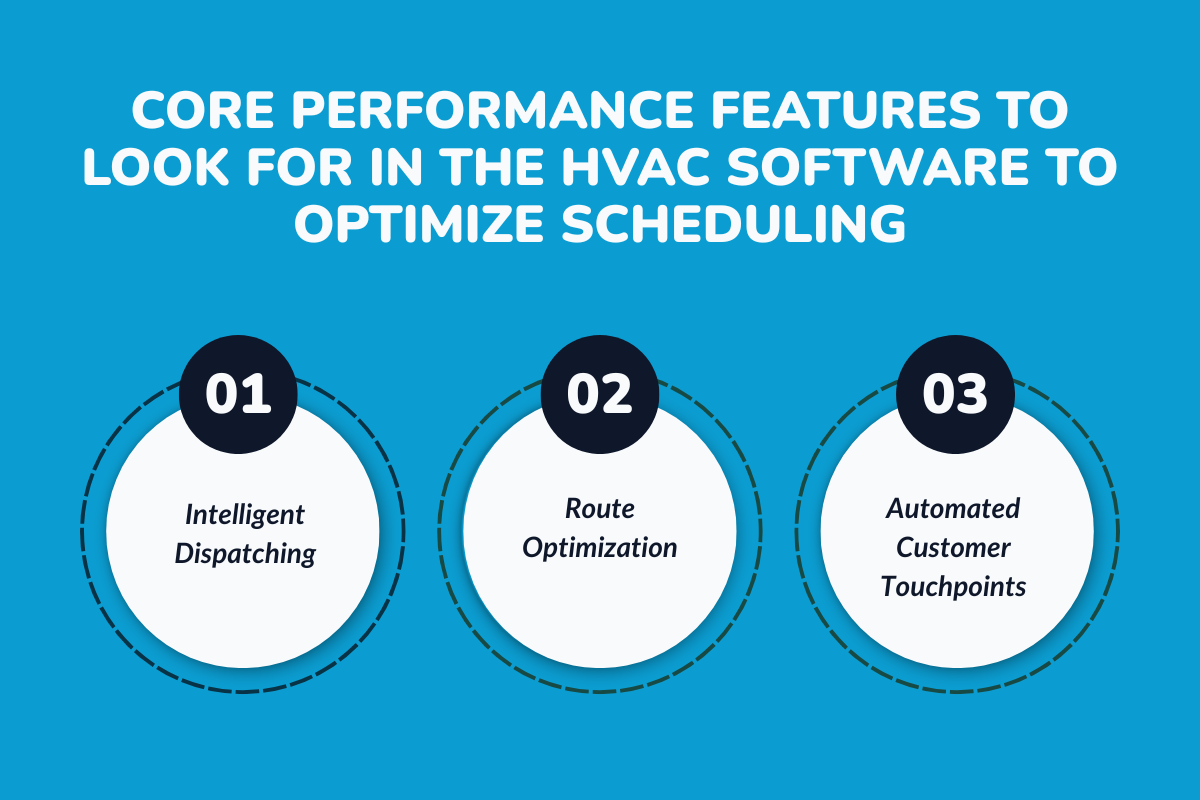
1. Intelligent Dispatching
The software should use AI-powered scheduling to automatically match each job with the right HVAC technician, taking into account skills, availability, location, and real-time traffic or weather, so jobs get completed faster, with better accuracy and higher first-time fix rates.
2. Route Optimization
It should support live GPS-enabled tracking to ensure technicians are assigned the shortest and most efficient routes, maximizing daily service calls, reducing travel time and fuel costs, and automatically adjusting routes in real-time based on traffic or weather disruptions.
3. Automated Customer Touchpoints
It must have technology-driven powers to enhance the customer journey with automated emails, reminders, special offers, an online booking portal, and chatbots for faster and consistent support.
Top 5 HVAC Scheduling Apps for Busy Service Teams: Comparison of Features, Fit, and Pricing
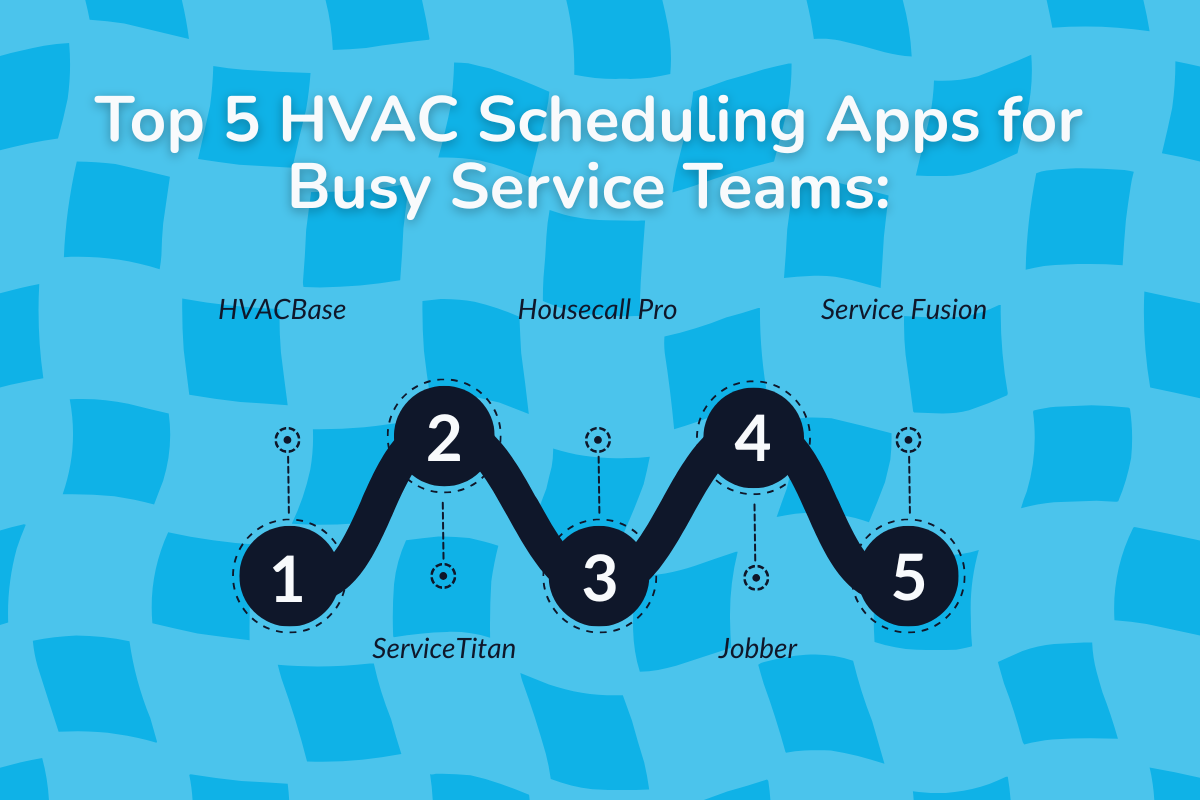
1. HVACBase: Right Fit For Mid-to-Large Commercial Enterprises
It is an all-in-one HVAC management software tailored for specialty contractors, with a powerful suite of features including scheduling, dispatch, customer management, sales campaign automation, and data-driven insights with real-time notifications.
Stand-out Features:
- Unified Dashboard: Single platform for operations, performance metrics, customer details, lead tracking, and scheduling.
- Smart Calendar: Drag-and-drop scheduling enables quick plan adjustments, efficient project management, and seamless handling of emergency service needs.
- Automated Dispatch: Assigns tech jobs based on their workload, availability, skill set, and proximity of location to the job place.
- Reminders and Notifications: All team members stay on the same page about workflow status and upcoming service requirements via in-app notifications, SMS, and email.
- Mobile App Support: Platform usable on both Android and iOS for field updates, allowing uploads of documents and photos with real-time notifications.
- Seamless Integration: Connects and syncs data to third-party apps like QuickBooks, Xero, and Zoho for invoices, payment processing, payroll management, and CRM.
- Detailed Analysis: Generates in-depth analytical reports on revenue trends, technician performance, conversion rates, customer behaviour, and financial performance.'
Pricing: Not publicly disclosed. Customized tiered pricing is provided based on your workflow requirements. Book your demo to know about pricing.
2. ServiceTitan: Best for Large Enterprise Level
It is a cloud-based platform designed to handle high-volume jobs, offering a comprehensive suite of features that streamline operations across advanced scheduling, dispatch, financial processing, analytical reporting, leads pipeline, and client management.
Stand-out Features:
- Smart Dispatch: A visual calendar with adjustable capacity planning and automated technician assignment based on location, job type, and availability, with live GPS tracking on job and tech status.
- Integrated Payment Portal: Instant and secure payment processing through credit cards, ACH, and financing options to improve cash flow.
- Mobile App Access: The platform includes mobile app functionality that allows hvac techs to upload job details, photos, notes, and checklists in real time.
- Customer Relationship Management: Centralized storage of customer information and job history with prompt communication to strengthen customer relationships.
- Digital Forms, Invoice and Customer Signatures: Eliminates paperwork to generate forms, invoices, and service agreements to collect e-signatures to fasten approvals and billing cycles.
- Analytical Dashboard: Tracks revenues, marketing campaign metrics, job and tech performance, inventory, resource usage, and operational efficiency.
- Automated Appointment Reminders: Reminders for recurring services, follow-ups, service notifications through SMS, and e-mail.
Pricing: ServiceTitan pricing plans are available on request, as costs are customized based on company size and specific needs.
According to several credible sources, the monthly charges per technician are structured as follows, with additional fees for optional add-on features:
- Starter Plans: $125-$300
- Essentials: $245-$400
- Enterprise: $400-$500
3. Housecall Pro: Ideal for Small HVAC Businesses
It is an HVAC field service software designed for small HVAC company contractors to automate and streamline the daily operations from managing bookings to payments with automated tools for scheduling, dispatch, customer management, online booking, and financial tracking.
Stand-out Features:
- Inventory Management: Track parts and service history with barcode scanning and automated purchases to prevent stock-outs and overstock.
- Integration and Customization: Seamless connection to existing tools such as accounting software, CRM, and marketing platforms for smoother operations.
- Secured Payment Portal: Online payment processing through credit or debit card, bank transfers, mobile wallets, and online payments to facilitate faster cash flow.
- Client Portal Communication: Online booking and update job statuses to clients on upcoming service calls, payment reminders, and service renewal notifications to boost customer satisfaction.
- Performance & Profit Analytics: Track profits, job costs, and team performance with real-time analytics reports generated monthly or quarterly, to make informed business decisions.
Pricing:
The platform offers tiered, subscription-based pricing as follows, with additional specialized tools available at extra cost.
- Basic Plan: $59 monthly
- Essential: $149 monthly
- Max: $299 monthly. Designed for growing companies with advanced reporting, API access, and dedicated support.
4. Jobber: Suitable for Solo Contractors and Small HVAC businesses
It is a cloud-based platform designed for home-service professionals to streamline end-to-end operations such as communication, invoice processing, and scheduling with a mobile app.
Stand-Out Features:
- Marketing Automation: Built-in email campaigns for upselling, follow-ups, and lead nurturing, with performance tracking.
- Client Portal: Customers automate client interactions, and they book services online and track job status in real time, improving transparency and trust with customer reminders on service calls and renewals.
- Scheduling Tools: Assign field techs to jobs automatically based on location, availability, and skill set.
- Mobile Access: Office teams and field crews have the HVAC mobile app to access service ticket information and update job statuses from anywhere, anytime.
- Inventory Management: Track tools and supplies with automated alerts to prevent stock-outs and overstocking.
- Automated Reminders & Alerts: Send payment reminders, service updates, renewals, and schedule changes through real-time alerts.
Pricing:
Jobber offers monthly plans, which are as follows:
- Core: Suitable for solo contractors starting at $25 monthly.
- Connect: $210 per month, designed for small teams up to 10 members with add-ons like GPS and automated follow-up.
- Plus: $378 per month, designed for teams of up to 15 members
5. Service Fusion: Fit for Small Businesses to Mid-Size Enterprises
It is an HVAC business software designed for field service project management, offering API access and features such as automated estimates, drag-and-drop scheduling, billing, a robust CRM, and seamless integrations.
Stand-out Features:
- Job Scheduling & Dispatch: Drag-and-drop scheduling dashboard with a color-coded calendar to assign jobs, technicians, and equipment across different job types.
- Mobile App with Digital Signatures: Field crews can view schedules, upload photos and documents, and capture digital signatures on proposals and work orders.
- CRM System: Centralized dashboard to manage customer information, service history, job progress, and notes, with automated reminders to improve retention and satisfaction.
- GPS Tracking: Real-time tracking of HVAC fleets and job progress to maximize productivity and on-time service delivery.
- Customer Portal & Communication: Automated SMS and email alerts for appointments and job updates, plus a customer portal for online bookings and inquiries.
Pricing:
It offers a flat fixed rate tiered pricing with unlimited users, offering three core custom pricing based on features and users. No free plan
Deciding Factors: How to Choose the Right HVAC Scheduling App?
Let us walkthrough the four critical factors you must look for in the software:
1. Easy Workflow Fit
The right scheduling app should feel intuitive from day one. It must align with how your office and field teams already work, rather than forcing you to change proven processes.
A clean interface, logical job flows, and minimal manual input are signs that the software will actually improve efficiency instead of slowing teams down.
2. Team Size Compatibility
HVAC scheduling software should support both your current team and your future growth. A tool that works for five technicians should still perform well when you scale to twenty or more.
This means flexible user management, role-based access, and the ability to add technicians, dispatchers, or managers without complex setup. API and system flexibility also matter, as growing teams often need scheduling to connect smoothly with CRM, invoicing, or accounting tools
3. Mobile-Friendly Access
Since HVAC work happens in the field, scheduling software must be mobile-first. Technicians should be able to view schedules, update job status, add notes, and upload photos directly from their phones.
Offline functionality is critical in areas with poor connectivity. The app should store updates locally and sync automatically once the device is back online, ensuring no job data is lost and customers stay informed.
4. Budget & Data Migration
Cost clarity matters as much as functionality. The scheduling app should have transparent pricing with no hidden charges for users, integrations, or support after onboarding.
Equally important is data migration. Your existing customer records, job history, and schedules should move into the new system smoothly. Reliable integrations with third-party tools help prevent downtime, reduce manual re-entry, and ensure continuity during the transition.
Implementation Strategy: How to Switch Without the Downtime
Choosing the right HVAC scheduling app is just half the battle won. You've got to implement it correctly to maximize performance and reduce data migration risks.
1. Data Migration Must be Secured and Accurate:
Switching apps or switching to HVAC business software poses the risk of lost or misplaced job data or the customer database. Work closely with support teams to upload existing customer, job, and financial details in a secure way.
2. Tech Buy-in Must Reveal Value-Driven Benefits:
The HVAC contractors would not invest in a hvac business software for its bloated feature list, but for the value it brings to their daily work.
Confidently splurge on your technology budget on the HVAC Schelduling software that demonstrates real benefits, which gives ROI and operational efficiency, yielding measurable business outcomes.
3. HVAC Contractors Must Have Measurable KPI:
When you book a demo with any HVAC scheduling app provider, it’s important to ask critical questions to see if the software truly delivers, with numbers, not just promises.
You can ask about:
- Job Completion & First-Time Success Rate: How effectively does the app help complete jobs on time and increase first-time fix rates?
- Technician Productivity: How many jobs are completed per technician per week, month, or quarter using the app?
- Travel & Route Efficiency: How does the app optimize routes, and what impact does it have on time and fuel usage?
- Data Accuracy & Insights: How reliable are the app’s reports and analytics for making business decisions?
- Scheduling Accuracy: How well does the app prevent overlaps, missed appointments, and errors, especially during peak seasons?
The Future of HVAC Scheduling: AI and Predictive Tools
AI-powered predictive analytics use real-time factors such as workload complexity, traffic, weather, and location to assign the right HVAC technician to the right job.
These predictive tools also analyze historical job data and technician performance to understand demand patterns, identify peak seasons, and automate scheduling decisions, ensuring maximum job completion and optimizing revenue opportunities.
Did you know? AI-based scheduling reports 70% fewer delays and measurable gains in labour productivity. If you want to stay competitive, AI in HVAC scheduling is not optional; it is a necessity to keep your operations running efficiently.
Take Control of your HVAC business with software that can help you schedule jobs smartly with Smart HVAC Scheduling: Using AI to Predict Service Needs
Conclusion: Future-Proofing Your Service Workflow
As service demand grows and technician availability tightens, manual scheduling and disconnected tools become liabilities. HVAC scheduling apps solve this by bringing structure, visibility, and automation into daily operations, helping teams handle more work without sacrificing quality or control.
The best HVAC scheduling software is the one your team actually uses to eliminate overlaps, capture every job, and keep operations running efficiently, tackling your business challenges with just a few clicks!
Turn Scheduling From a Daily Firefight Into a Competitive Advantage
If scheduling issues are slowing your team down or limiting how much work you can take on, it’s time to rethink how jobs are planned and dispatched.
Get your personalized 15-Minute Demo to get on a mini-tour with our industry experts and explore how the HVAC Scheduling & Dispatch Software can help your company accelerate productivity and scale efficiently.
Frequently Asked Questions (FAQs)
1. Is cloud-based HVAC scheduling software better than on-premise systems?
Cloud-based scheduling software is generally more flexible and reliable for HVAC teams. It allows real-time updates, remote access, automatic backups, and easier scaling, which are essential for fast-moving field service operations.
2. Can HVAC Scheduling Apps Integrate With My Existing Systems?
Yes, most modern HVAC scheduling software integrates seamlessly with existing systems such as accounting tools like QuickBooks, CRM platforms, communication tools, and inventory management software. These integrations keep data synced across your operations, reduce manual work, and ensure smoother and more efficient workflows.
3. How Quickly Can My Team See Results After Using a Scheduling App?
The teams can see tangible results from using the scheduling app within a month, with improvements such as reduced missed jobs, optimized routes, and better productivity.
4. Can an HVAC Scheduling App Help With Emergency Service Calls?
An HVAC scheduling app can improve customer satisfaction by enabling businesses to handle urgent jobs quickly and efficiently, ensuring faster response times and a smoother service experience.
5. Do HVAC Scheduling Software Offer Analytics for Team Performance in Daily Operations?
Modern HVAC Scheduling and Field Service Management provides detailed analytics for tracking team and job performance, budget analysis, and resource utilization. These help to identify the bottlenecks to enhance overall efficiency.
6. What’s the difference between HVAC scheduling software and HVAC dispatch software?
Scheduling software focuses on planning jobs and assigning time slots, while dispatch software handles real-time technician assignment, route adjustments, and job updates. Most modern HVAC platforms combine both scheduling and dispatch into a single system.
Have questions or need personalized advice?
Talk to an Expert Today and let our construction specialists guide you to success.
Related Posts